エビフライ

Your feeds, on your server, in your pocket.

A calm RSS reader in the spirit of Reeder Classic, made for iPhone and iPad first. One small server you run yourself.

Free and open source (AGPL-3.0) · Docker or a Linux service · English and Italian

Install in a minute

Any Linux machine that stays on: a home server, a Raspberry Pi 4 or 5, a NAS, a small VPS. Nothing to compile.

With Docker

Recommended. Runs on amd64 and arm64.

  1. Get the compose file and start it.
    mkdir ebi-furai && cd ebi-furai
    curl -fsSLO https://raw.githubusercontent.com/trapassati/ebi-furai/main/compose.yaml
    docker compose up -d
  2. Read the setup code from the log.
    docker compose logs ebi-furai | grep "setup code"
  3. Open http://your-server:9099, type the code and create your account.

As a Linux service

No Docker: one binary and a systemd unit.

  1. Run the installer (Debian, Ubuntu, Raspberry Pi OS…).
    curl -fsSL https://raw.githubusercontent.com/trapassati/ebi-furai/main/scripts/install.sh | sudo sh
  2. Read the setup code.
    journalctl -u ebi-furai | grep "setup code"
  3. Open http://your-server:9099 and create your account.

Updating: docker compose pull && docker compose up -d, or run the installer again. All settings are optional and listed in the README.

Reads like a good magazine

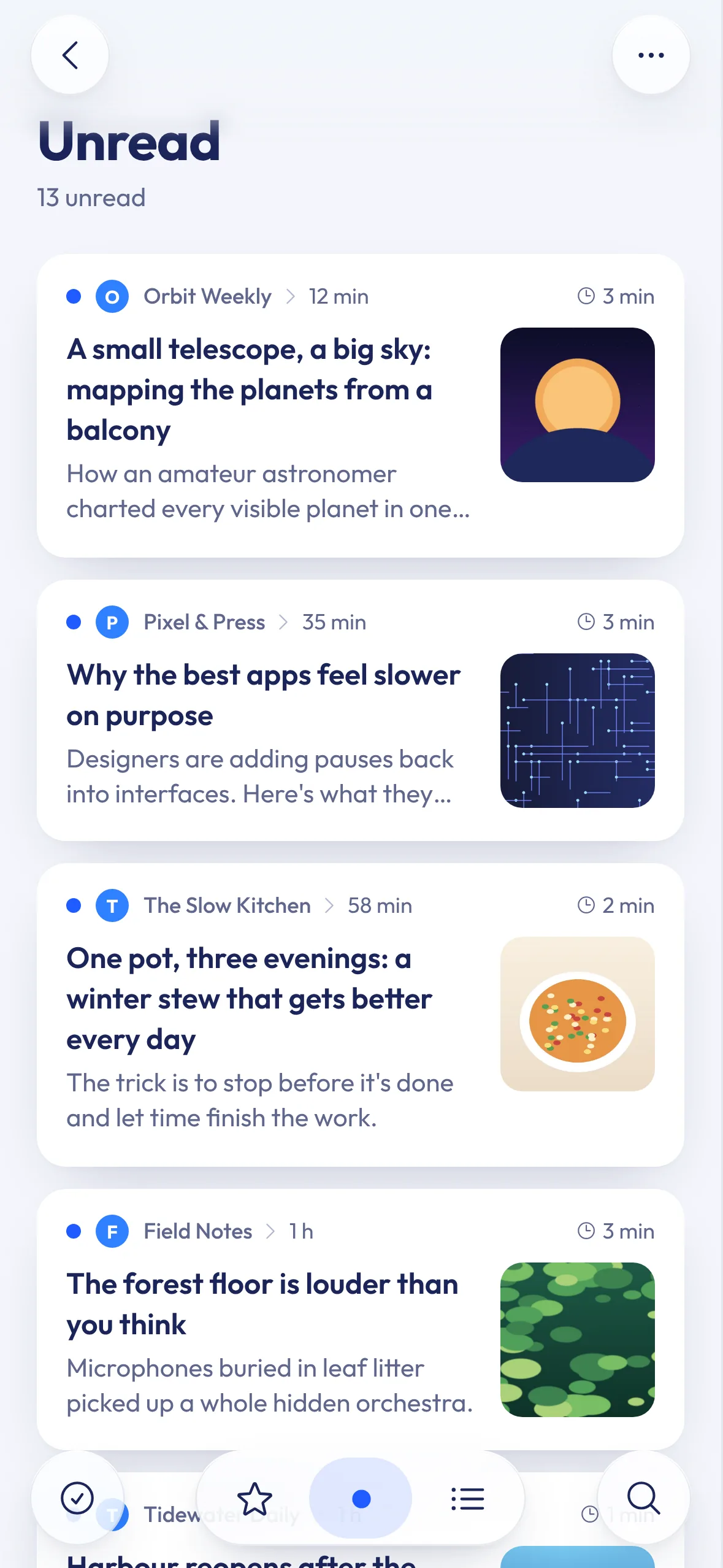
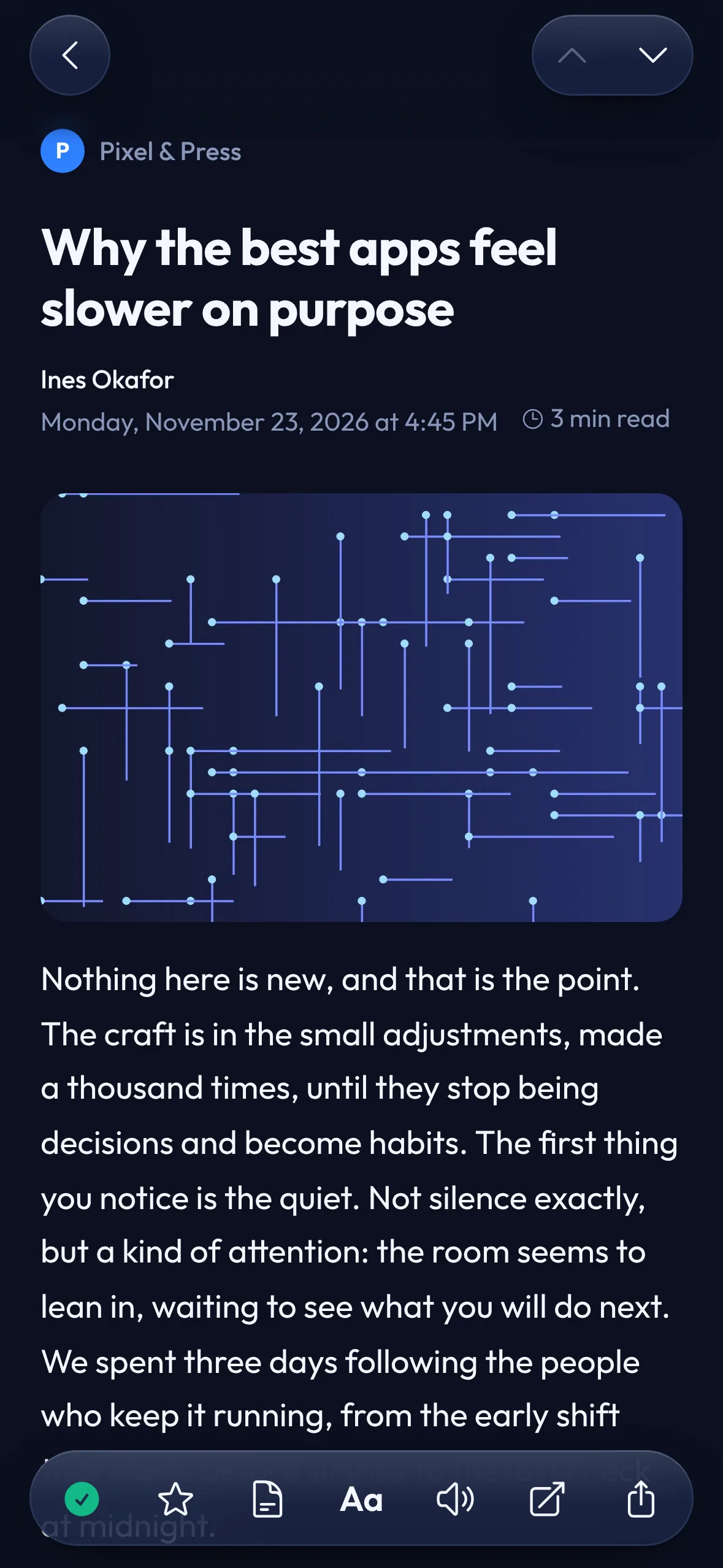
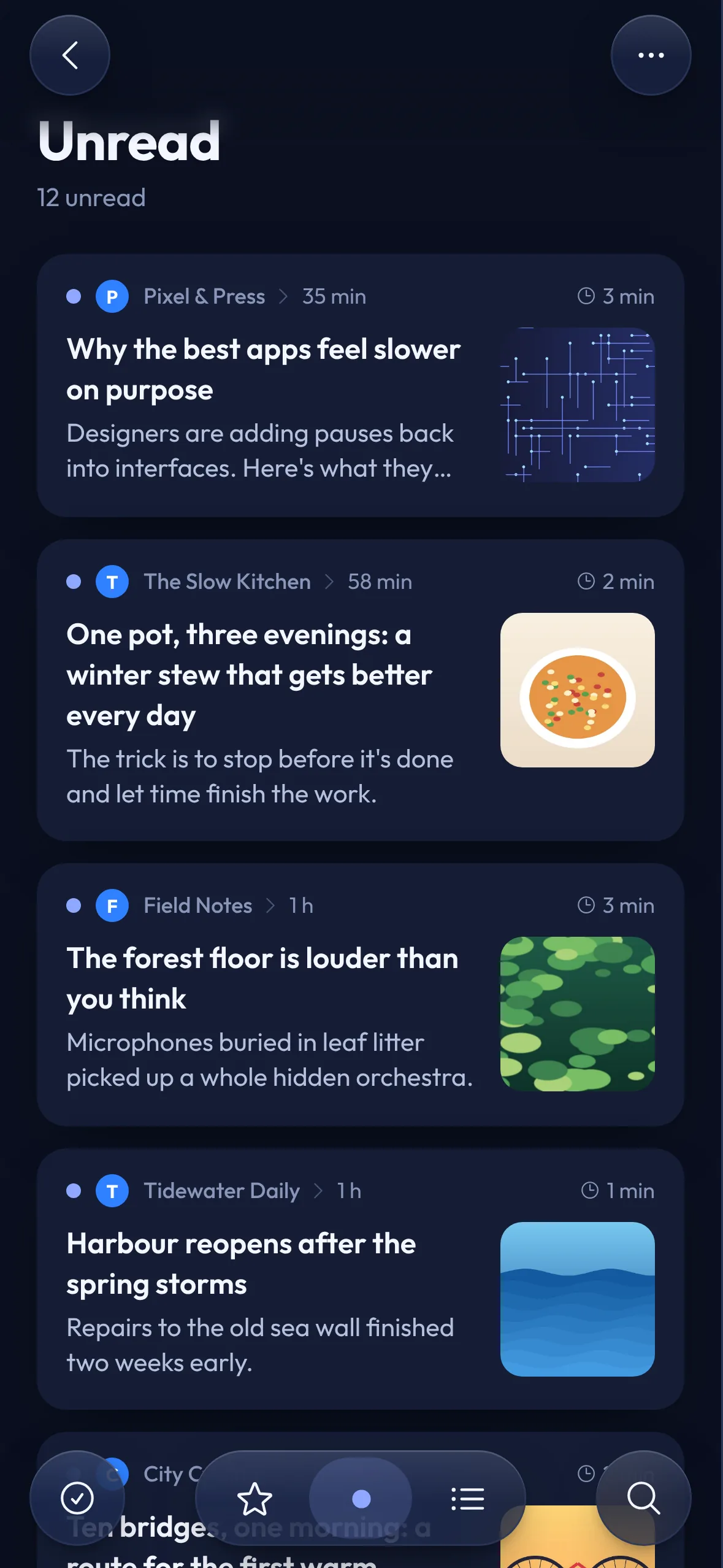
Cards with pictures and previews, a reader that gets out of the way, and the full text of truncated articles with one tap.

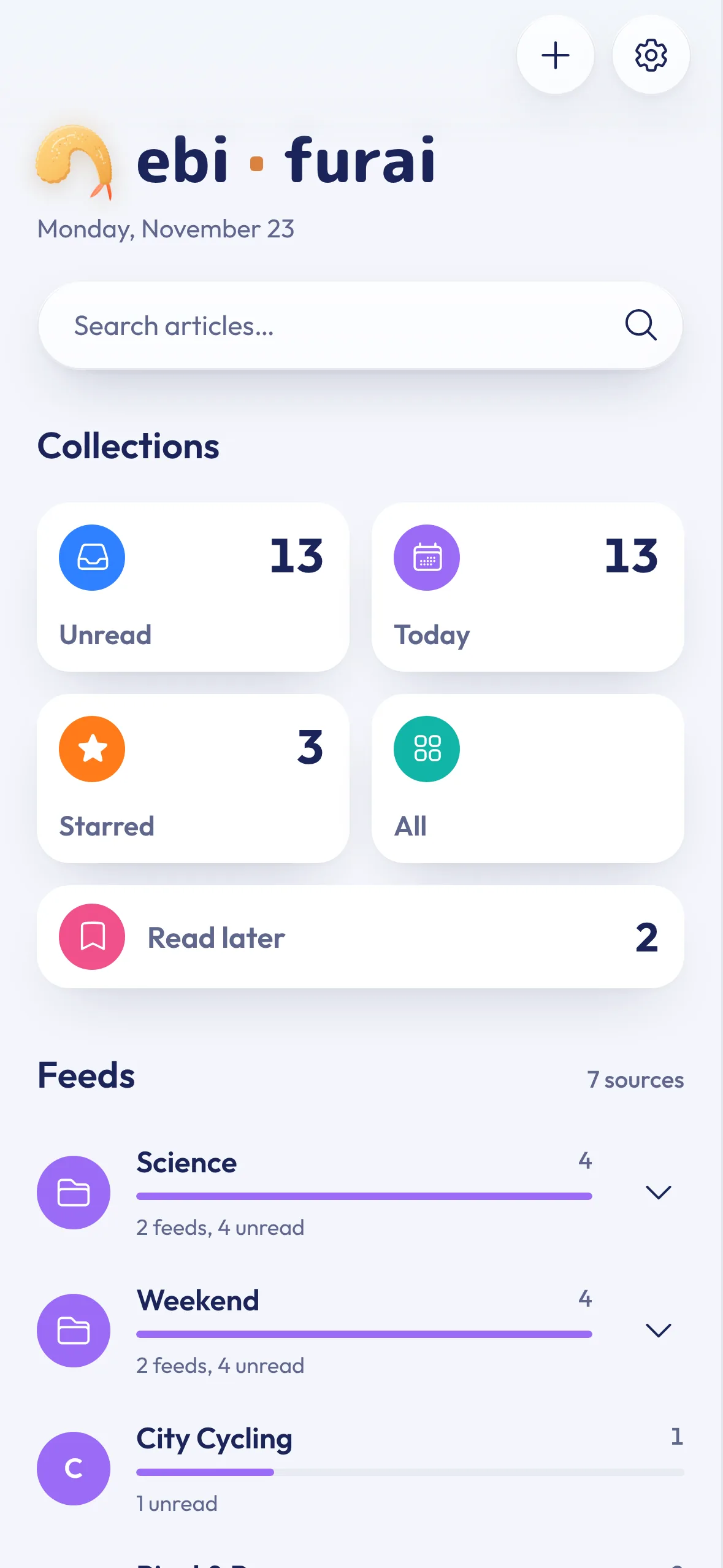
  • Unread, Today, Starred and All, plus your folders
  • Reading time, typefaces, sizes, light and dark
  • Swipe to star or mark as read, pull to refresh
Home with collections and feeds
Unread articles, dark theme

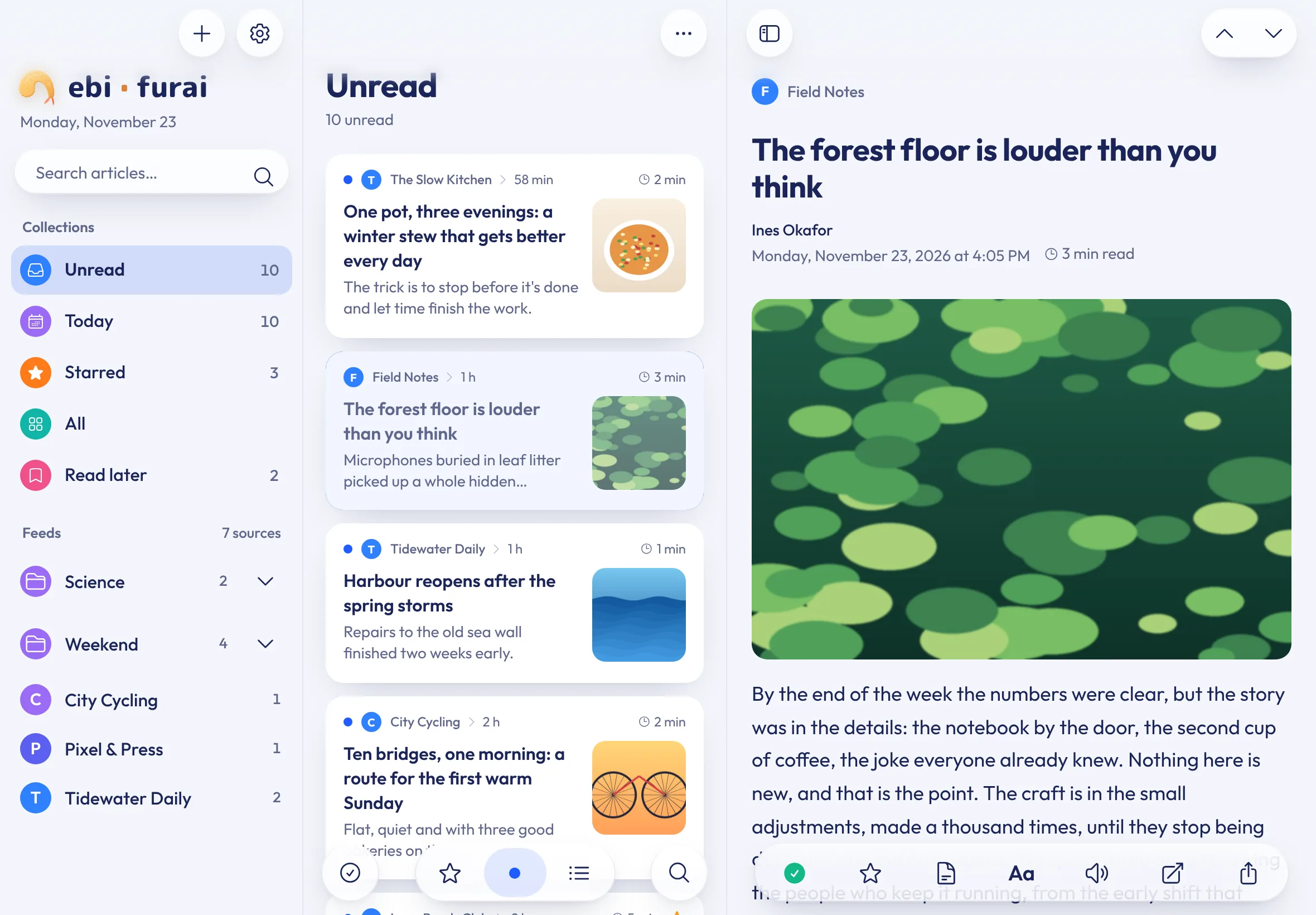
Three columns on iPad

Feeds, list and article side by side, in landscape and in portrait. The first column folds away when the article wants the room.

Three columns on iPad

A real app on the computer

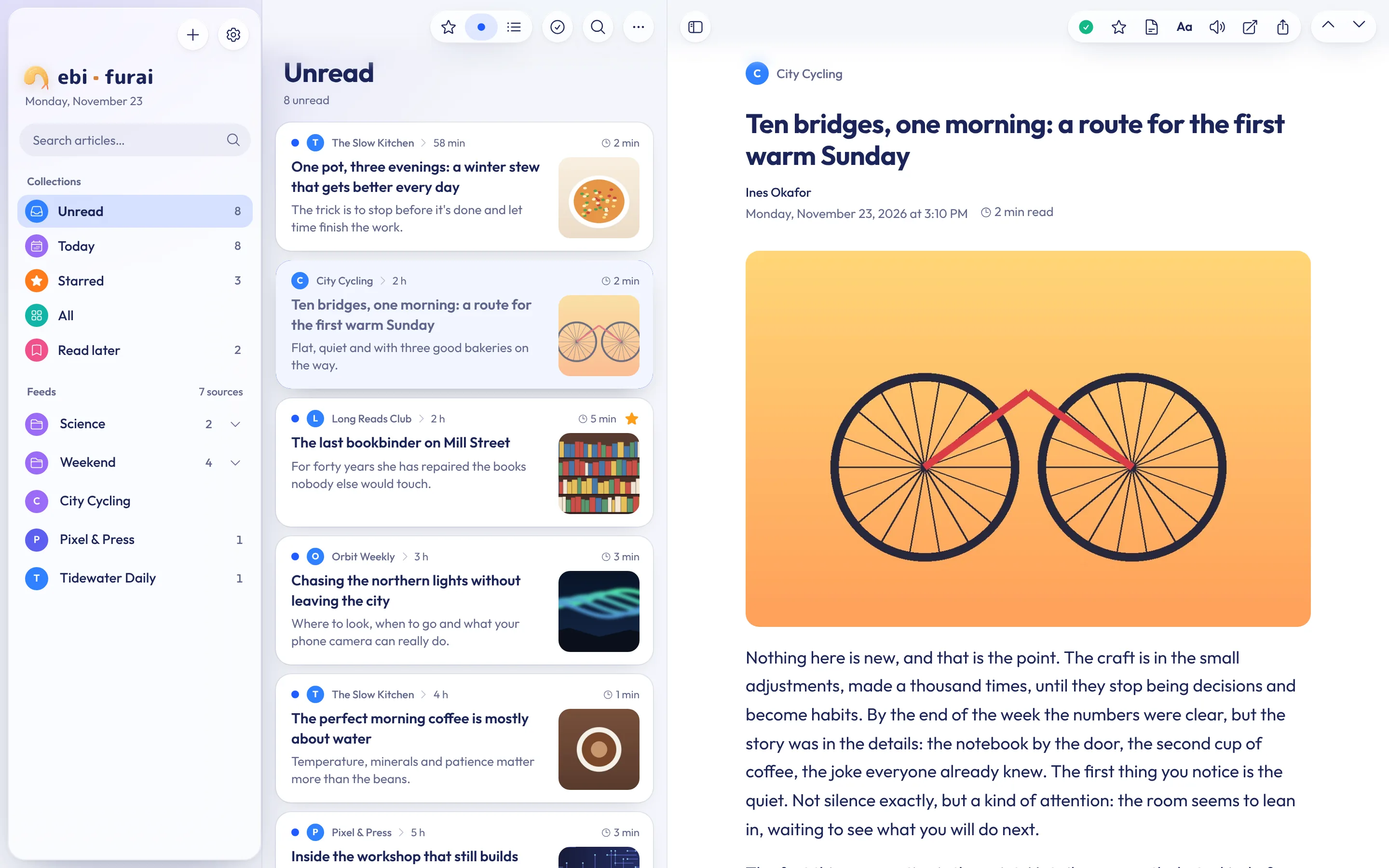
On a Mac or a PC it works like a desktop app, in the style of today's macOS: commands at the top of each column, menus where you click, columns you can resize.

  • Tooltips that show the keyboard shortcuts
  • J and K, M, S, L to listen, slash to search
  • An interface scale for large screens
Ebi Furai on a computer: sidebar, list and article

Offline

The latest unread and the starred stay on the device. What you do offline is sent when you're back.

Notifications and badge

A summary of what's waiting, at the times you choose, with the count on the app icon.

Keyword filters

Hide or mark as read what you don't care about: football on a news site, horoscopes, sponsored posts.

Duplicates merged

The same story from a newspaper and from Google News shows up once, and is read everywhere.

Mark above or below

Read half the list? Mark the rest in one go, and undo if you change your mind.

Feed health

Feeds that stop working are listed with what the error means and what to do about it.

Several people

Each user has their own feeds. Two-step verification, recovery codes, connected devices.

Private by design

Images go through your server, so sites never see your devices. No analytics, no third parties.

Backups

A copy of the database every day, kept for weeks, also on a WebDAV server if you like, restorable from the app.

Reeder and NetNewsWire

Prefer a native app? Ebi Furai speaks the Google Reader API, with a password for each app.

Pictures up close

Tap a picture in an article to see it full screen, then pinch or double tap to zoom.

Tells you when to update

A new release shows up in the app, with what changed and the one command to run.

Read later

Save any page from Safari's share button or a bookmarklet. Its text waits for you, offline too.

Listen

Articles read aloud by your device's voice, paragraph by paragraph, at the speed you like.

Soft sounds

A bell for new articles, a crystal for a star. Off unless you want them, and silent with the iPhone's switch.

Take it out of the house

At home it works at http://your-server:9099. To add it to the iPhone's Home Screen, read away from home and get notifications, give it an https address.

Cloudflare Tunnel

No open ports. Point a public hostname to http://localhost:9099, then set BIND_ADDR=127.0.0.1 and TRUST_CF_HEADER=true.

Leave Cloudflare Access off: it gets in the way of the installed app.

A reverse proxy

With your own domain, Caddy fetches the certificate by itself:

rss.example.com {
    reverse_proxy localhost:9099
}

Questions

What does it need to run?

Very little: it's one program with an SQLite database. It runs happily on a Raspberry Pi or an old home server; a few hundred feeds take a few tens of megabytes of memory.

Can I bring my feeds from another reader?

Yes. Export an OPML file from the old reader and import it in Settings → Feeds. You can export yours the same way at any time.

Does it work on Android and on the desktop?

Yes, in any modern browser. Chrome and Edge can install it as an app; on the desktop the interface scales with the screen and has keyboard shortcuts.

Where is my data?

Only on your server: in the Docker volume, or in /var/lib/ebi-furai with the service. The app keeps a copy of recent articles on each device for offline reading.

Why "Ebi Furai"?

It's the Japanese name of fried shrimp in tempura batter. Golden outside, good inside: we liked that for a feed reader.